Web Multiband Simulator
Reproduce radio time signals to sync radio-controlled watches.
Please star the project on GitHub if you find it helpful!
Global Signal Coverage
Radio-controlled clocks automatically synchronize to one of these regional longwave transmitters. Select the one that suits your watch's supported frequencies and your location/timezone for the best results.
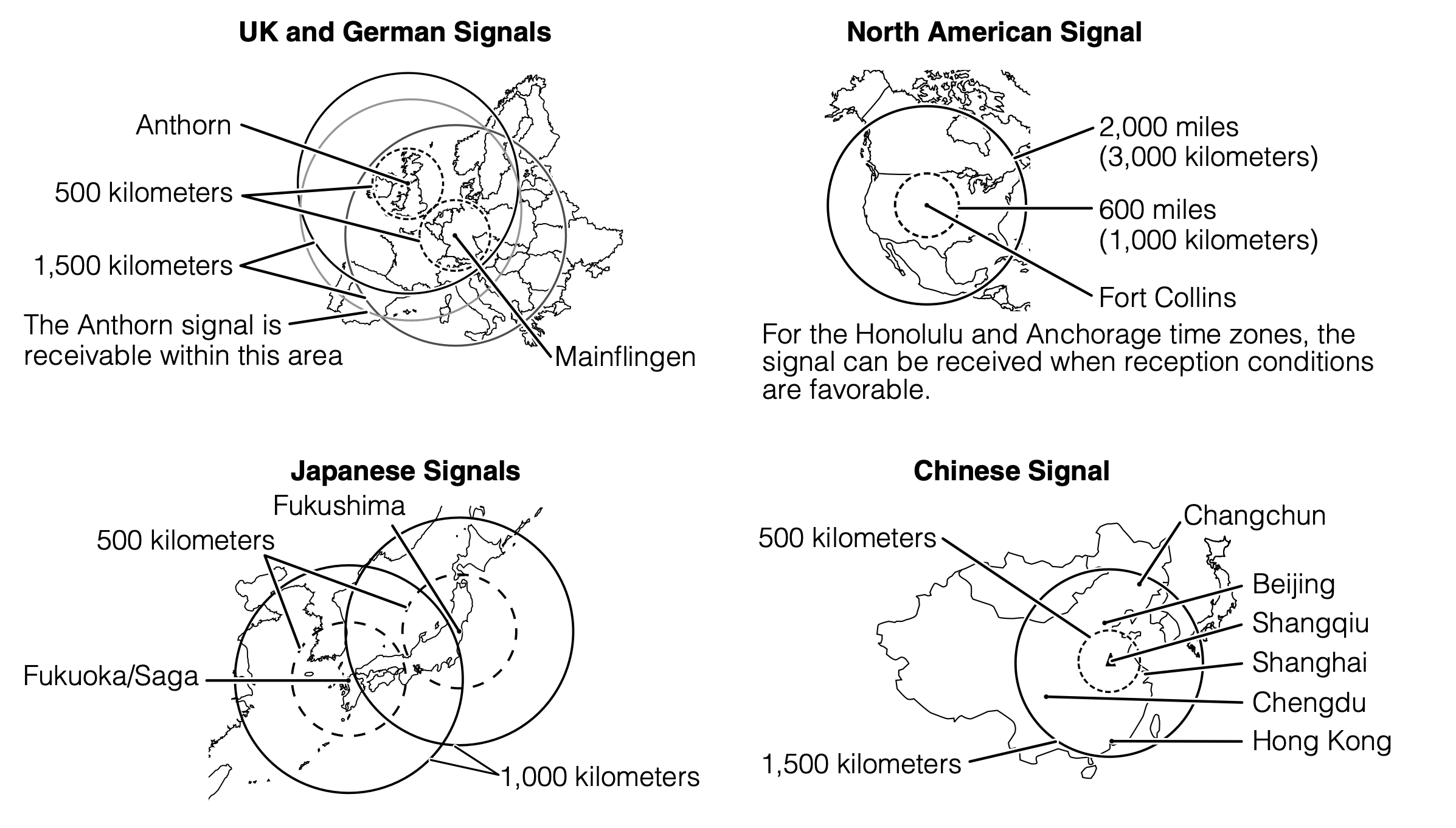
68.5 kHz
60 kHz
77.5 kHz
60 kHz
40 & 60 kHz
Pick a Time source in the time card (below the UTC/DST badges). NTP synced lets the page pull accurate time from the network automatically. If you keep System time, make sure your device's clock is accurate — check it against time.is or an NTP server such as pool.ntp.org — so the simulator transmits the correct time signals.
Use a headphone or the computer's built-in speaker. Maximize the volume for better reception, and place your radio-controlled clock close to the speaker.
Press Start Transmitting, set your clock to its manual sync/receive mode, and wait. Because these protocols transmit one frame per minute, it usually takes several minutes for a clock to successfully decode the time.